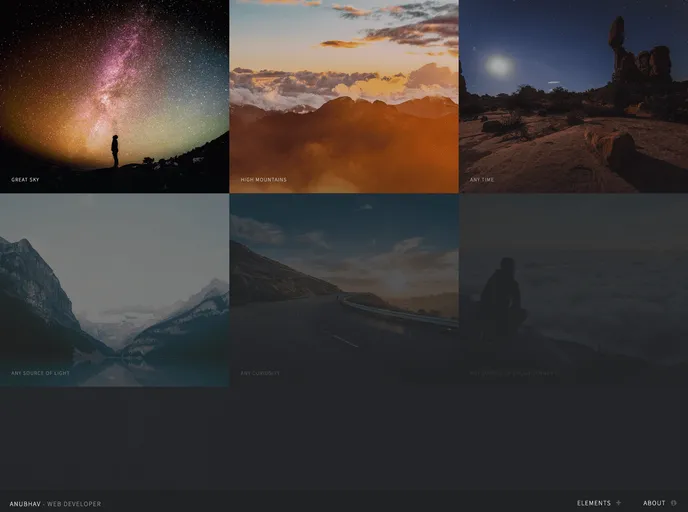
Gatsby Starter Multiverse screenshot

Gatsby Starter Multiverse

Updated: 13 Jan 2022
19 Stars

Gatsby.js V2 starter template based on multiverse by HTML5 UP

Categories

Overview:

The gatsby-starter-multiverse is a Gatsby.js V4 starter template based on Multiverse by HTML5 UP. It provides a project structure for building websites using Gatsby.js. This template offers a visually appealing design and a range of features to help developers get started with their projects.

Features:

  • Easy installation and setup with the Gatsby CLI program.
  • Personalization options by editing the config.js file.
  • Deployment using GitHub Pages with a default script included in the package.json file.
  • Compatible with subpath hosting configurations using the pathPrefix value in config.js.
  • Similar starter templates available for different design styles and purposes.

Installation:

  1. Ensure that you have the Gatsby CLI program installed on your system.
  2. Open your command-line interface and run the following command:
npm install -g gatsby-cli
  1. Once the installation is complete, navigate to the directory where you want to create your Gatsby project.
  2. Run the following command to create a new Gatsby site using the gatsby-starter-multiverse template:
gatsby new my-multiverse-project https://github.com/anubhavsrivastava/gatsby-starter-multiverse
  1. Change into the newly created directory:
cd my-multiverse-project
  1. Start the development server:
gatsby develop
  1. Open your web browser and navigate to http://localhost:8000 to see the live preview of your site.

Summary:

Overall, gatsby-starter-multiverse is a great option for developers looking to build websites with Gatsby.js. It provides an attractive design, easy installation, personalization options, and seamless deployment using GitHub Pages. With its range of features and compatibility with different hosting configurations, this starter template offers a solid foundation for building engaging and visually appealing websites.