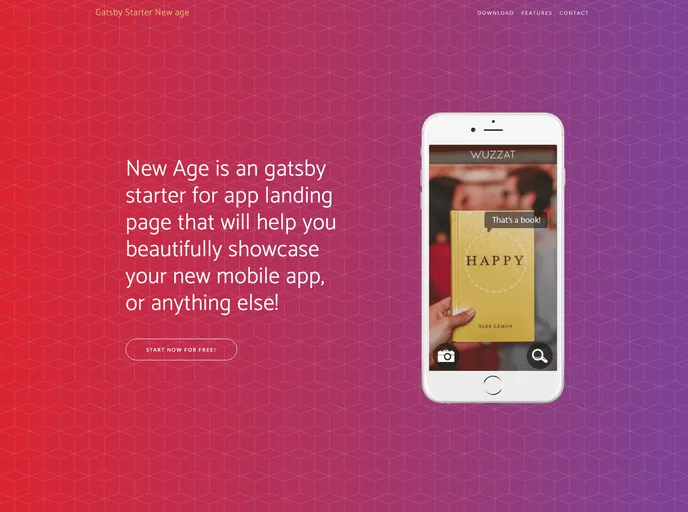
Gatsby.js V2 starter template based on New Age by startbootstrap
The gatsby-starter-newage is a Gatsby.js V2 starter template based on the New Age theme by Start Bootstrap. It is designed to help developers quickly set up a new Gatsby project with a stylish and modern look.
To install the gatsby-starter-newage, follow these steps:
npm install -g gatsby-cli
git clone [repository-url]
cd gatsby-starter-newage
npm install
module.exports = {
  siteTitle: 'Your Site Title',
  // Other configuration options...
}
npm run deploy
The gatsby-starter-newage is a Gatsby.js V2 starter template that provides developers with a quick and easy way to set up a new Gatsby project with the stylish New Age theme by Start Bootstrap. It offers features such as easy personalization, deployment on GitHub Pages, and multiple other starter templates for different design styles.

