Overview:
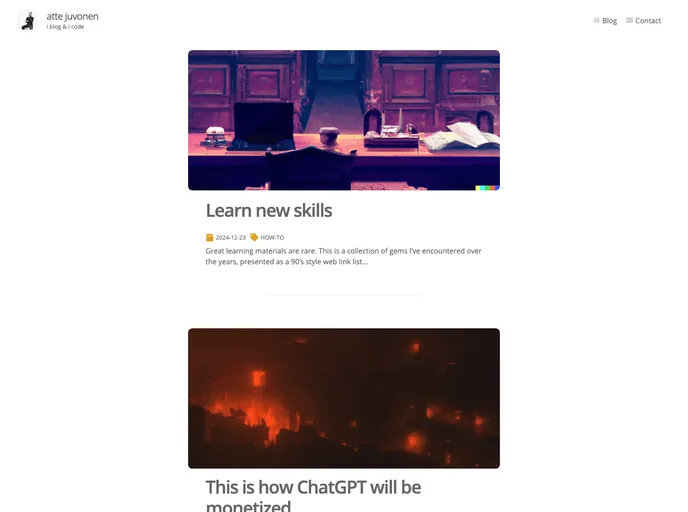
The content provided is a blog analysis of a theme for creating a personal blog. The theme has various features like a responsive and streamlined design, fast user experience, autogenerated tracedSVG image placeholders, ability to write blog posts in Markdown, support for custom React components, organization of posts by tags, infinite scroll for post teasers on the front page, options for readers to be notified of updates through RSS feed and email newsletter, a hero section with animated 3D WebGL art, and a contact form. The content also includes instructions on how to set up and customize the blog using the provided theme.
Features:
- Responsive and streamlined design: The blog has a design that adapts to different screen sizes and provides a seamless user experience.
- Free hosting at CDNs like Netlify: The blog is compiled into HTML+CSS+JS by Gatsby, which enables it to be hosted for free at CDNs like Netlify.
- Blazing fast UX: The blog ensures a fast user experience with quick initial loading and subsequent page rendering through link prefetching and the use of static assets delivered by CDN.
- Autogenerated tracedSVG image placeholders: The blog generates image placeholders that smoothly transition as the image loads, preventing the page from jumping around.
- Support for writing blog posts in Markdown: The blog allows users to write their blog posts in Markdown, providing easy formatting and platform independence.
- Ability to embed custom React components into Markdown: Users can embed custom React components into their Markdown blog posts, enhancing the flexibility and interactivity of the content.
- Organization of posts by tags: The blog provides the feature to organize posts by tags, allowing users to categorize and navigate their content effectively.
- Infinite scroll for post teasers: The front page of the blog generates teasers of posts with an infinite scroll functionality, ensuring a graceful degradation into pagination.
- Options for readers to be notified of updates: The blog offers options for readers to receive notifications of updates through RSS feed and email newsletter, enabling them to stay updated with new content.
- Hero section with animated 3D WebGL art: The blog includes a hero section with animated 3D WebGL art, adding visual interest and enhancing the overall aesthetic appeal.
- Contact Form: The blog features a contact form, allowing readers and visitors to easily get in touch with the blogger.
Installation:
To create your own blog with this theme, follow these steps:
- Setup a Gatsby project. If you encounter any issues, use nvm to manage different Node versions and switch to Node version v16.
- Install the latest version (v4) of gatsby-cli globally:
npm install -g gatsby-cli@latest-v4. - Install other dependencies by running:
npm install. - Run the blog in development mode with:
gatsby develop. - Run the blog in production mode with:
gatsby build && gatsby serve. - Customize the blog by reviewing the configuration files in
content/meta/config.js, content/pages, and content/parts. - Replace the
static/preview.jpg file with your own image (with a recommended aspect ratio of 1.91). This image is used when someone shares a link to your blog on social media platforms. - Ensure caching and redirects work properly when publishing the blog. Recommended hosting platform is Netlify.
- Move your own icons into
src/images/app-icons, then generate app icons by running: npm run generate-app-icons. - Set environment variables in a
.env file. Keep this file in .gitignore to prevent it from being published to the repo. When publishing the website, add environment variables to your host without publishing the .env file. - Add Plausible Analytics by setting the environment variable
PLAUSIBLE_DOMAIN to your website domain. This variable is also used for OpenGraph tags, so ensure it is set correctly if you don’t use the environment variable.
Summary:
The analyzed content provides an overview of a theme for creating personal blogs. It highlights the key features of the theme, including its responsive design, fast user experience, support for Markdown, customization options, and integration with analytics and notification systems. The content also provides an installation guide, helping users set up the blog using the theme and customize it according to their preferences. Overall, the theme offers a streamlined and visually appealing solution for creating and managing personal blogs.