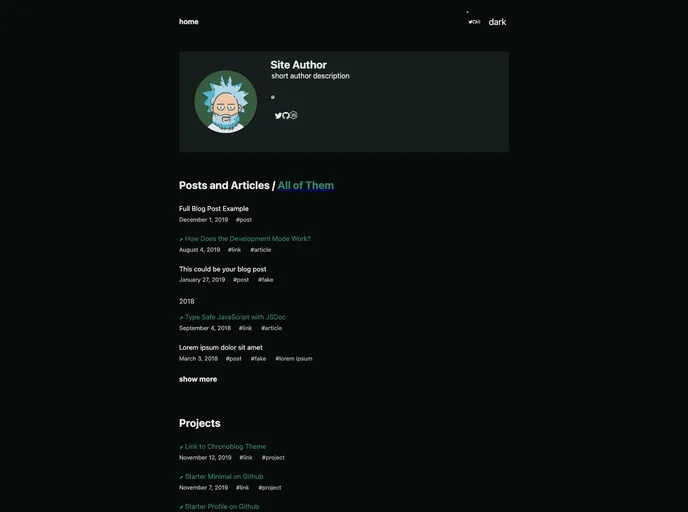
Chronoblog Gatsby Theme Starter. A dark (but with ability to switch to light) starter that uses Source Code Pro font and minimalistic UI
The Chronoblog Hacker Starter is a dark-themed Gatsby js theme that is designed to create a personal website. It offers a minimalistic user interface with the ability to switch between dark and light modes. The theme utilizes the Source Code Pro font and includes features such as search and tags for organizing content, easy customization of colors and fonts, mobile-friendly design, code syntax highlighting, and out-of-the-box SEO settings.
To start using the Chronoblog Hacker Starter, you have two options:
If you have gatsby-cli installed, run the following command in your terminal:
gatsby new my-chronoblog-hacker-starter https://github.com/Chronoblog/chronoblog-hacker-starter
Alternatively, you can clone the repository using Git:
git clone https://github.com/Chronoblog/chronoblog-hacker-starter.git my-chronoblog-hacker-starter
After installing the starter, your website will be running at http://localhost:8000.
The Chronoblog Hacker Starter is a dark-themed Gatsby js theme that offers a minimalistic user interface with a focus on creating personal websites. It provides features such as search, tags, customization options for colors and fonts, mobile-friendly design, and code syntax highlighting. With easy integration of social network links and SEO settings, this theme provides a comprehensive solution for personal website development.

