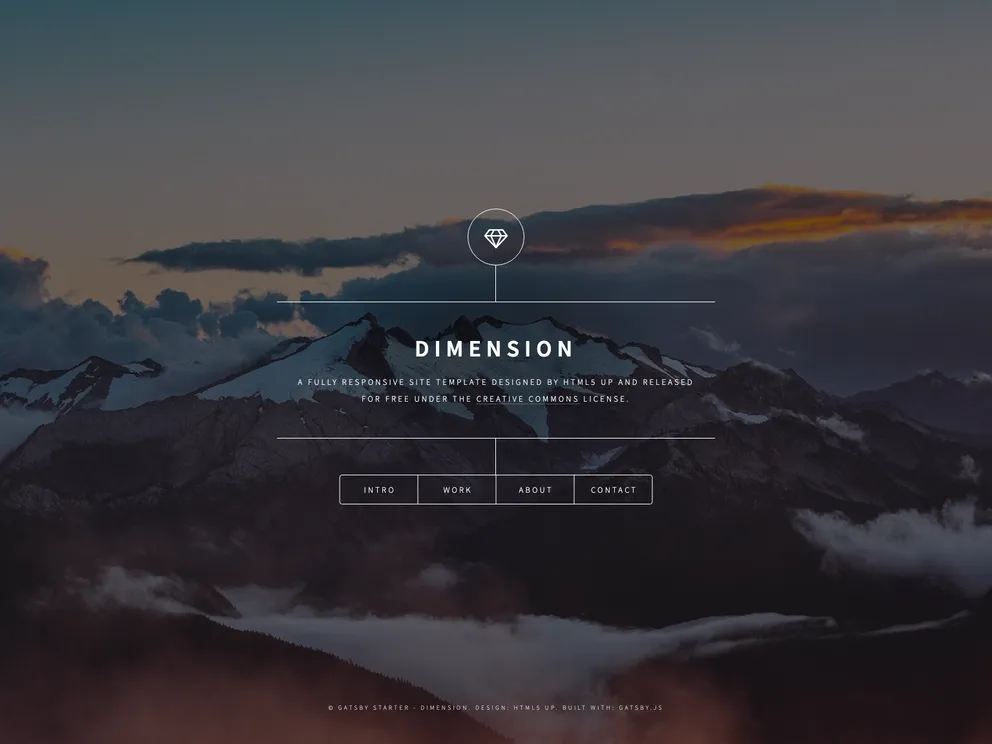
Gatsby Starter Dimension screenshot

Gatsby Starter Dimension

Author Avatar Theme by Codebushi
Updated: 25 Jan 2020
322 Stars

Gatsby.js V2 starter template based on Dimension, designed by HTML5 UP. Check out https://codebushi.com/gatsby-starters-and-themes/ for more Gatsby starters.

Categories

Overview:

The gatsby-starter-dimension is a starter template for Gatsby.js V2. It is based on the Dimension site template, designed by HTML5 UP. This starter provides a solid foundation for creating websites using Gatsby.js, a static site generator.

Features:

  • Gatsby.js V2: Built with the latest version of Gatsby.js, providing improved performance and features.
  • Based on Dimension site template: Utilizes the Dimension site template designed by HTML5 UP as a starting point, offering a sleek and modern design.
  • Gatsby starters and templates: Visit https://codebushi.com/gatsby-starters-and-themes/ to explore more Gatsby starters and templates, potentially finding inspiration for your projects.

Installation:

To install the gatsby-starter-dimension, follow the steps below:

  1. Make sure Gatsby is installed on your system.
  2. Open your command-line interface (CLI).
  3. Run the following command to create a new Gatsby site using the starter template:
gatsby new gatsby-starter-dimension https://github.com/codebushi/gatsby-starter-dimension
  1. Once the installation is complete, navigate to the project directory using the CLI.
  2. Start the development server by running the following command:
gatsby develop

This will launch the development site, allowing you to preview and make changes to your project.

Summary:

The gatsby-starter-dimension is a Gatsby.js V2 starter template based on the Dimension site template by HTML5 UP. It provides a modern, sleek design and is easy to install and set up. By using this starter, users can quickly create websites with Gatsby.js, taking advantage of its performance and features.